
Prepping inventory for a Walmart fulfillment center is the process of packaging, labeling, and shipping your products according to Walmart Fulfillment Services (WFS) standards so they clear receiving fast and go live for sale. WFS is Walmart’s answer to third-party fulfillment, and it runs on strict compliance rules. Miss a label placement, use the wrong poly bag thickness, or mislabel a case pack, and you face chargebacks, receiving delays, or unplanned prep fees. Inventory received at WFS is typically available for sale within 2 business days, but that window stretches to 10 business days during Q4. Getting your prep right from the start is the fastest way to protect your sales velocity.
What are the key Walmart WFS prep requirements for inventory?
WFS demands retail-ready packaging. That means every unit must arrive looking like it belongs on a store shelf, not in a warehouse bin. Generic brown-box packaging or unbranded polybags do not meet the standard. Each item needs to present as a finished retail unit before it ever reaches the fulfillment center.
The labeling requirements are specific and non-negotiable. Every item needs a WFS item label placed on a flat, scannable surface. The label must include a barcode that matches the WFS system, not a generic UPC or an Amazon FNSKU. WFS uses its own item label system, and it differs from Amazon’s labeling format in ways that catch multi-platform sellers off guard.
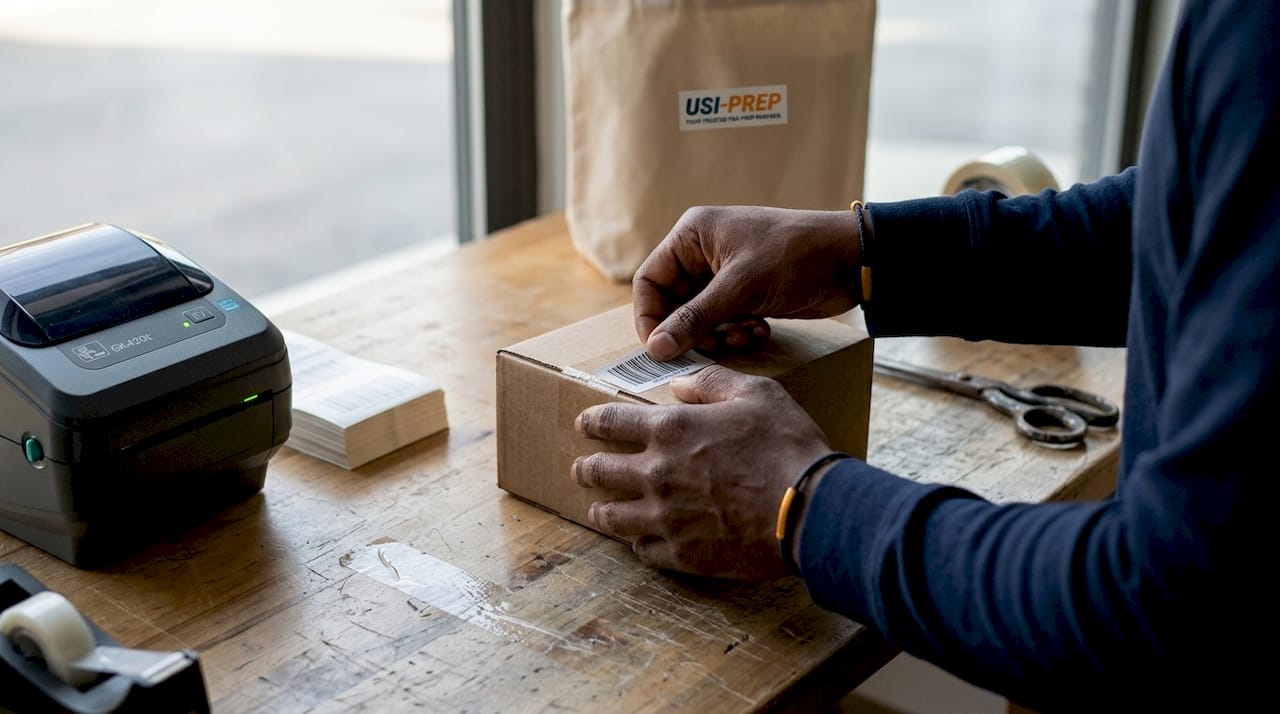
Case pack labeling adds another layer. Each master case must carry a case label that includes the barcode, unit quantity, and lot number when applicable. Walmart’s receiving teams scan these labels to process your shipment. A missing or misplaced case label stops the process and triggers a manual review.
Key prep requirements at a glance:
- Retail-ready packaging: Units must be shelf-presentable with no exposed product or generic outer packaging.
- WFS item labels: Applied to a flat surface, scannable, and formatted to WFS specifications.
- Case pack labels: Include barcode, quantity, and lot number on every master case.
- Poly bag standards: Correct thickness is required. Incorrect poly bag thickness triggers chargebacks and unplanned fees.
- Barcode compliance: WFS barcodes are distinct from Amazon FNSKUs and standard UPCs.
Walmart does offer an optional WFS Prep Services program for sellers who need help meeting these standards. The WFS Prep Services program charges a per-unit fee to handle packaging and labeling on your behalf. It is a useful safety net for complex SKUs or high-volume launches, but it adds cost that proper in-house prep eliminates.
Pro Tip: Review the full Walmart fulfillment requirements list before your first shipment. Catching a labeling gap before you ship saves far more time than fixing a chargeback after the fact.
How to create and manage your Walmart WFS shipping plan
A shipping plan is the document that tells WFS what you are sending, how it is packed, and where it is coming from. Setting it up correctly in Seller Center determines whether your labels generate cleanly and your shipment routes without errors.
- Convert your listing to a WFS SKU. Go to Seller Center and flag the item for WFS fulfillment. This step creates the WFS version of your product listing. Converting the listing does not mean inventory is in the warehouse. Physical receiving is mandatory before stock becomes available for sale.
- Set your ship-from location. Select the correct origin address. WFS uses this to route your shipment and calculate carrier options. An incorrect address causes label errors that delay the entire plan.
- Designate case-pack type correctly. If you are shipping full master cases, select “case-packed.” Selecting the wrong case-pack designation causes label generation errors and shipment delays. Individual units and case-packed units follow different label workflows.
- Generate and print labels. Seller Center produces your shipping labels once the plan is confirmed. Print them at the correct size and apply them before the carrier pickup.
- Choose parcel or LTL shipping. Smaller shipments go via parcel carriers. Larger palletized shipments require LTL freight. WFS routes most shipments to a single fulfillment center per shipping plan, unlike other marketplaces that split inventory across multiple locations. Factor that into your logistics planning.
The most common setup mistake is rushing through the case-pack designation step. Sellers who sell on multiple platforms often default to settings from other marketplaces. WFS has its own logic, and it does not forgive mismatches.
What is the step-by-step process for shipping inventory to Walmart?
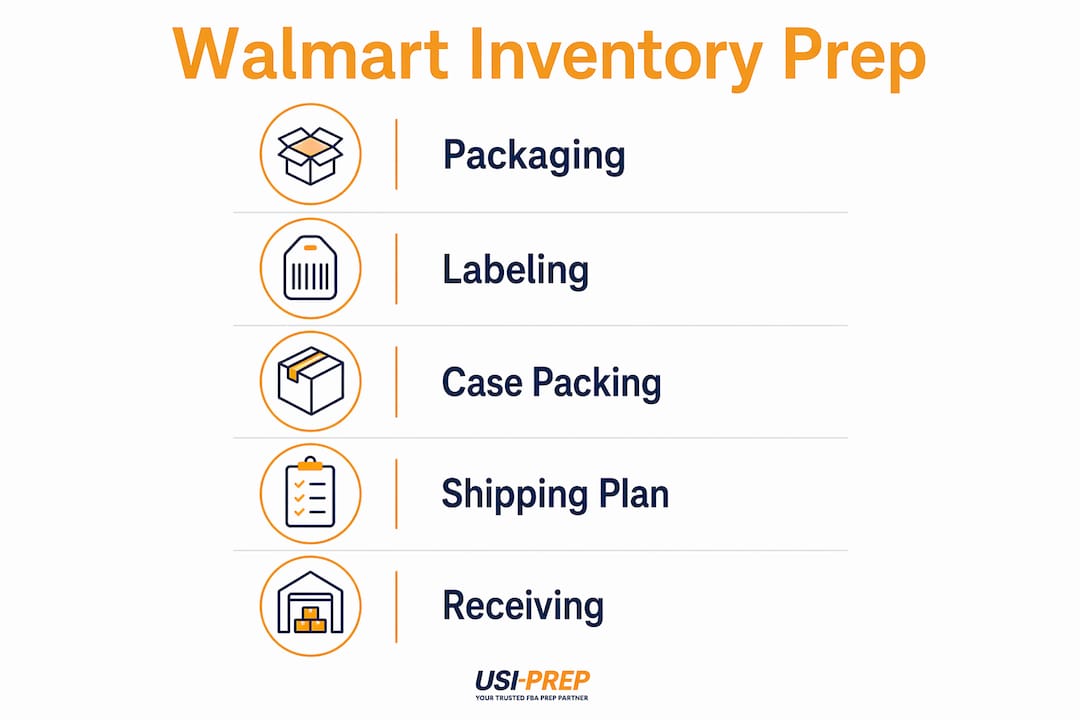
The physical prep workflow runs in a fixed sequence. Skipping or reordering steps creates errors that compound at the fulfillment center.
- Prepare retail-ready packaging. Box, bag, or bundle each unit so it is shelf-presentable. Apply any required poly bags at the correct thickness.
- Apply WFS item labels. Place each label on a flat, unobstructed surface. Curved or recessed surfaces cause scan failures at receiving.
- Pack units into master cases. Count units per case against your shipping plan. Any discrepancy between the plan and the physical count triggers a receiving exception.
- Apply case labels. Attach the WFS case label to the outside of each master case. Verify the barcode, quantity, and lot number before sealing.
- Print and apply shipping labels. Generate labels from Seller Center and apply them to the outside of each carton or pallet.
- Schedule carrier pickup or drop-off. Book your parcel carrier or LTL freight provider. Confirm the delivery appointment if the fulfillment center requires one.
- Track shipment status in Seller Center. Monitor receiving progress after the carrier confirms delivery. Standard receiving runs within 2 business days. During Q4, receiving can extend to 10 days, so plan your restock timing accordingly.
| Stage | Action | Common Error |
|---|---|---|
| Packaging | Apply retail-ready packaging and poly bags | Wrong poly bag thickness |
| Item labeling | Place WFS label on flat surface | Label on curved or recessed area |
| Case packing | Count units per case to match plan | Unit count mismatch |
| Case labeling | Attach case label with barcode and quantity | Missing lot number |
| Shipping label | Print from Seller Center and apply | Label from wrong shipping plan |
| Carrier handoff | Schedule pickup or delivery appointment | No appointment booked for LTL |
Pro Tip: Build a physical checklist for each SKU type and run through it before sealing any case. A 5-minute check at the packing table prevents a 5-day receiving delay.
What are common prep mistakes that cause delays and extra fees?
The single most expensive mistake multi-platform sellers make is mixing prep batches. Mixing Amazon FBA and WFS prep in the same batch causes cross-labeling errors that lead to shipment rejection or fees. The two systems use different label formats, different barcode types, and different packaging standards. Running them together in one workflow guarantees confusion.
Other frequent errors include:
- Missing or incorrect item labels. A label placed on a curved surface or printed at the wrong size fails the scan at receiving.
- Wrong poly bag thickness. WFS specifies minimum thickness for poly-bagged items. Thinner bags trigger unplanned prep fees.
- Failing to mark shipments as case-packed. Sellers shipping full master cases but selecting “individual units” in the shipping plan generate the wrong labels and misalign the receiving count.
- Non-retail-ready packaging. Sending items in plain brown boxes or unbranded bags violates WFS standards and results in chargebacks.
- Ignoring receiving timelines. Sellers who restock based on standard 2-day receiving get caught short during Q4 when receiving extends significantly. Plan your inventory buffer around peak-season timelines.
Treat Walmart WFS prep as a completely separate workflow from every other marketplace. Label confusion between platforms is the leading cause of avoidable chargebacks and receiving delays. Build dedicated standard operating procedures for WFS and never run a mixed prep batch.
The fix for most of these errors is process separation. Assign dedicated prep stations, label printers, and checklists to WFS inventory. Do not share supplies or workflows with other marketplace prep. If you work with a third-party prep center, confirm they have a Walmart-specific prep process before sending your first shipment.
Key Takeaways
Sellers who prep inventory for Walmart fulfillment centers correctly, using WFS-specific labels, retail-ready packaging, and accurate shipping plans, receive inventory within 2 business days and avoid chargebacks entirely.
| Point | Details |
|---|---|
| Retail-ready packaging is required | Every unit must arrive shelf-presentable; generic packaging triggers chargebacks. |
| WFS labels differ from Amazon FNSKUs | Use WFS-specific barcodes placed on flat, scannable surfaces for every item. |
| Case-pack designation drives label accuracy | Selecting the wrong case-pack type in Seller Center causes label errors and delays. |
| Separate WFS prep from other platforms | Mixed prep batches cause cross-labeling errors that lead to shipment rejection. |
| Q4 receiving extends to 10 days | Build a larger inventory buffer during peak season to protect sales continuity. |
Why I think most sellers underestimate WFS prep complexity
Most sellers approach Walmart WFS prep the same way they approached their first Amazon FBA shipment: read the basics, wing the details, and fix problems as they appear. That approach works on platforms with forgiving receiving processes. WFS is not one of them.
The detail that trips up experienced sellers most often is the assumption that WFS and FBA prep are interchangeable. They are not. The label formats differ, the barcode systems differ, and the case-pack logic differs. I have seen sellers with years of FBA experience send their first WFS shipment and get hit with chargebacks on every unit because they used FNSKU labels instead of WFS item labels. The cost was not just the chargeback fee. It was the receiving delay, the restock gap, and the lost sales rank during a launch window.
The sellers who get WFS right from the start build a dedicated standard operating procedure before they send a single unit. They treat WFS as a new platform with its own rules, not a variation of what they already know. For complex SKUs or high-volume launches, opting into WFS Prep Services is worth the per-unit cost. The fee is predictable. A chargeback and a 10-day receiving delay during Q4 are not. If you work with a prep center, ask specifically whether they have handled WFS shipments before. Generic fulfillment experience does not transfer cleanly to WFS compliance.
— Akbar
Usiprep handles your Walmart inventory prep so you don’t have to
Usiprep was built by former Amazon sellers who know exactly how much a single labeling error costs during a product launch. That same operational discipline now applies to Walmart WFS prep, where the compliance bar is just as high and the penalties for errors are just as real.
Usiprep manages retail-ready packaging, WFS-specific item labeling, case pack verification, and shipping plan execution for sellers who want compliance without the operational overhead. The result is a 98.9% on-time delivery rate and a documented 30% reduction in fulfillment costs for brands that make the switch. Use the prep requirements checklist to audit your current workflow, or reach out directly to get your Walmart inventory prep handled by a team that has done it before.
FAQ
What does “retail-ready packaging” mean for WFS?
Retail-ready packaging means each unit must look like a finished product ready for a store shelf. Generic boxes, unbranded polybags, or exposed products do not meet WFS standards and trigger chargebacks.
How long does WFS take to receive and process inventory?
WFS typically receives and makes inventory available for sale within 2 business days. During Q4 peak periods, that window extends to up to 10 business days.
Can I use my Amazon FBA labels for Walmart WFS shipments?
No. WFS uses its own item label system with different barcode formats. Amazon FNSKUs are not compatible with WFS receiving, and using them causes scan failures and chargebacks.
What happens if I select the wrong case-pack type in my shipping plan?
Selecting the wrong case-pack designation generates incorrect labels and misaligns the unit count at receiving, causing delays and potential shipment rejection.
Does WFS send inventory to multiple fulfillment centers?
WFS routes shipments to a single fulfillment center per shipping plan. This differs from other marketplaces that split inventory across multiple locations, so plan your logistics accordingly.