
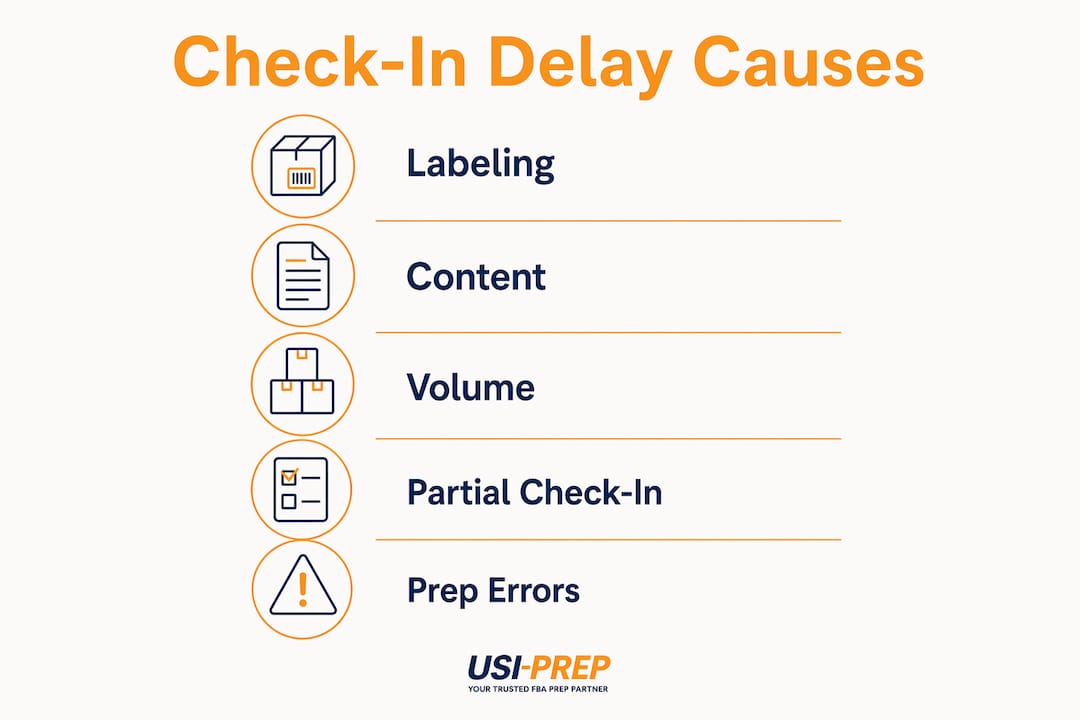
Amazon inventory check-in delays occur when FBA shipments fail to pass receiving, scanning, or verification at fulfillment centers, blocking inventory from becoming available for sale. The three leading causes are labeling errors, shipment content discrepancies, and fulfillment center volume overload. Understanding how amazon inventory check-in delays happen is the first step to protecting your sales velocity and avoiding costly stockouts. Amazon’s 2026 process changes have made compliance stricter, raising the stakes for every shipment you send.
What are the main causes of Amazon inventory check-in delays?
Labeling errors are the single most common trigger for check-in delays. Missing or unreadable FNSKUs force shipments into manual review, pulling them out of the automated receiving line entirely. Since 2026, Amazon no longer offers in-house prep and labeling services, which means non-compliant inventory now faces a higher risk of rejection or extended holding. Every label that fails to scan adds hours or days to your check-in timeline.
Shipment content discrepancies are the second major cause. When the physical contents of a box do not match the declared shipment plan, Amazon initiates a receiving hold. Discrepancies in declared vs. physical contents trigger mandatory investigation requests that can delay inventory by weeks. This problem is especially common when sellers pack multiple similar SKUs in the same box without clear separation.

Fulfillment center volume is the third driver. Amazon’s network handles millions of inbound units daily, and during peak periods like Q4 or Prime Day, backlogs build fast. Receiving delays normally range 2–6 days but can stretch to several weeks during seasonal peaks or facility backlogs. Smaller parcel shipments often clear faster than large LTL freight during these periods.
The 2026 removal of Amazon’s prep services has compounded all three causes. Sellers who previously relied on Amazon to fix minor labeling issues now absorb that risk entirely. The result is a stricter compliance environment where preparation quality directly determines check-in speed.
Key causes at a glance:
- Missing or damaged FNSKU labels that fail barcode scanning
- Box content mismatches between the shipment plan and physical contents
- Multiple similar SKUs packed together without clear separation
- High fulfillment center volume during peak seasons
- Large LTL shipments that take longer to process than small parcels
Pro Tip: Apply FNSKU labels to every unit before boxing. A single missing label on one unit can trigger a manual review for the entire box.
How does Amazon’s shipment processing workflow contribute to delays?
Amazon’s receiving process moves through four distinct stages, and delays can accumulate at any one of them.
- Delivery and dock receipt. The carrier delivers your shipment to the fulfillment center dock. The shipment status changes to “Delivered” in Seller Central.
- Physical scanning and verification. Warehouse staff scan boxes and individual units against your shipment plan. This is where labeling errors and content mismatches surface.
- Manual review (if triggered). Any discrepancy sends the shipment to a secondary queue for manual identification. This step can add days or weeks.
- Shelving and inventory reservation. Once verified, units are shelved and status updates to “Available.”
“Sellers can mistakenly expect immediate processing post-delivery, causing frustration.” — Amazon Seller Forums
The gap between “Delivered” and “Available” is where most confusion lives. Inventory often sits in “Delivered” status while physically queued at the dock. Real check-in only begins when warehouse scanning starts. Sellers who treat “Delivered” as “Available” will consistently miscalculate their restock timing.
Partial check-in adds another layer of complexity. Partial shipment received status occurs when only part of a shipment is scanned and verified. Unscannable or misplaced labels force staff to identify units manually, slowing the full check-in process. During high-volume periods, partial check-ins can sit unresolved for extended stretches.
Amazon’s regionalized fulfillment network and split shipment plans increase the number of touchpoints each shipment touches. More touchpoints mean more opportunities for transit and processing slowdowns. A single shipment plan split across three fulfillment centers triples the number of receiving events that must complete before your full inventory is available. Sellers who understand split-shipment dynamics can build more realistic timelines and avoid reactive restocking decisions.
What common preparation errors cause check-in holds?
Preparation mistakes are the most preventable source of check-in delays. Most holds trace back to a short list of recurring errors.
- Incorrect or missing FNSKU labels. A label printed at the wrong size, placed over a seam, or applied to a curved surface will fail scanning. Learn Amazon’s sticker requirements before printing a single label.
- Inaccurate shipment plan declarations. Sending 50 units of SKU A when your plan declares 60 triggers an automatic discrepancy flag.
- SKU mix-ups in multi-SKU boxes. Packing two similar products in the same box without clear physical separation is a direct path to a receiving hold.
- Unpackaged or poorly packaged units. Items that arrive damaged or loose force manual handling and slow the entire receiving line.
Sellers frequently face inventory miscounts when multiple similar SKUs are packed together. Miscounts occur in roughly half of inbound shipments with mixed SKUs, causing weeks of delay and operational disruption. That statistic alone justifies dedicating separate boxes to each SKU.
Data errors compound physical preparation mistakes. A single manual header error in an inventory data upload can stall automated feed updates for 48 or more hours. That means even a correctly packed shipment can face a check-in delay if the accompanying data file has a formatting problem.
Pro Tip: Use a dedicated prep checklist for every shipment. Usiprep’s FBA prep requirements checklist covers the 2026 compliance standards that most sellers miss.
How can sellers monitor and respond to inventory check-in delays?
Seller Central gives you the tools to track shipment status, but most sellers only check the top-level view. A more detailed approach catches problems earlier.
- Check the Shipment Events log. Go to Manage FBA Shipments, open the shipment, and review the event timeline. Each status change is timestamped, so you can see exactly where the shipment stalled.
- Compare declared vs. received quantities. The Reconcile tab shows units declared, units received, and any discrepancy. A gap here confirms a receiving hold is active.
- Open a case with Seller Support at day 7. If a shipment has been in “Delivered” status for more than seven days without movement, contact Seller Support. Attach your Bill of Lading, carrier tracking confirmation, and a screenshot of the shipment plan.
- Request a manual research investigation. For shipments stuck in partial check-in, you can formally request that Amazon investigate the remaining units. Include photos of your packing and labeling as supporting documentation.
- Monitor inventory reservation status. Units in “Reserved” status are checked in but not yet available. This is normal and typically resolves within 24–48 hours after full check-in completes.
Escalation works best when you bring documentation. Seller Support cases without evidence take longer to resolve. A clear paper trail, including your shipment plan, carrier proof of delivery, and packing photos, moves cases through the queue faster.
Pro Tip: Set a calendar reminder for day 5 after your expected delivery date. Catching a stalled shipment on day 5 instead of day 14 cuts your resolution time significantly.
Understanding the FBA check-in process in detail helps you ask the right questions when you open a support case. Vague inquiries get generic responses. Specific questions about a specific shipment event get faster answers.
Key Takeaways
Amazon inventory check-in delays are caused by labeling errors, shipment content mismatches, and fulfillment center backlogs, and all three are preventable with proper preparation and monitoring.
| Point | Details |
|---|---|
| Labeling errors are the top cause | Missing or unreadable FNSKUs force shipments into manual review, adding days to check-in. |
| “Delivered” does not mean “Available” | Inventory sits in a processing queue after delivery; scanning must start before check-in begins. |
| Mixed SKU boxes create miscounts | Packing similar SKUs together triggers holds in roughly half of affected shipments. |
| Escalate at day 7 with documentation | Open a Seller Support case after seven days with BOL, tracking, and packing photos attached. |
| Smaller parcels check in faster | Sending parcel shipments instead of large LTL freight can reduce check-in time during peak periods. |
What I’ve learned after years of watching these delays repeat
The most frustrating thing about Amazon inventory check-in delays is that the majority are entirely avoidable. After working with hundreds of FBA sellers, I keep seeing the same pattern: sellers invest heavily in sourcing and marketing, then treat prep as an afterthought. One missing FNSKU label or one SKU packed in the wrong box erases weeks of sales momentum.
The 2026 removal of Amazon’s in-house prep services was a turning point. Sellers who relied on Amazon to catch and fix minor labeling errors suddenly had no safety net. The ones who adapted quickly were the sellers who already had a disciplined prep process. The ones who struggled were the ones who assumed Amazon would handle it.
My honest observation is that split shipments cause more confusion than almost any other issue. Sellers see partial check-in and assume something is wrong, when often it is just the normal sequence of a split plan processing across multiple fulfillment centers. The fix is not to panic and open a case immediately. The fix is to understand the FBA check-in best practices well enough to distinguish a normal delay from an actual problem.
The sellers who handle delays best are the ones who treat every shipment like an audit. They document everything, they check Seller Central on a schedule, and they escalate with evidence. That discipline does not eliminate delays entirely, but it cuts resolution time dramatically.
— Akbar
Proper prep is the fastest path to faster check-ins
Check-in delays cost you sales, ranking, and restock cycles. The good news is that most delays trace back to preparation errors you can fix before the shipment leaves your facility.

Usiprep was founded by former Amazon sellers who experienced these exact frustrations firsthand. The team offers FBA prep and fulfillment services built around 2026 compliance standards, with faster inventory check-ins and full visibility at every step. Usiprep clients report a 30% reduction in fulfillment costs and a 98.9% on-time delivery rate. Start with the 2026 FBA prep checklist to identify the gaps in your current process, or review the step-by-step shipment checklist to build a repeatable prep workflow.
FAQ
What causes most Amazon FBA check-in delays?
Labeling errors, shipment content discrepancies, and fulfillment center volume are the three primary causes. Since 2026, Amazon no longer offers in-house prep services, making seller-side compliance more critical than ever.
How long do Amazon inventory check-in delays typically last?
Receiving delays normally range 2–6 days under normal conditions. During seasonal peaks or facility backlogs, delays can extend to several weeks.
What is the difference between “Delivered” and “Available” in Seller Central?
“Delivered” means the carrier dropped off the shipment at the fulfillment center dock. “Available” means units have been scanned, verified, and shelved. The gap between the two statuses is the active check-in window.
When should I contact Seller Support about a delayed shipment?
Open a case after seven days in “Delivered” status with no movement. Attach your Bill of Lading, carrier tracking confirmation, and a screenshot of your shipment plan to speed up resolution.
How do I prevent check-in delays caused by mixed SKUs?
Pack each SKU in its own dedicated box and match quantities exactly to your shipment plan. Inventory miscounts from mixed SKU boxes affect roughly half of inbound shipments with multiple similar products, making separation the single most effective prevention step.