
FBA receiving delays are defined as the gap between when Amazon physically receives your shipment and when that inventory becomes available for sale. Avoiding FBA receiving delays in 2026 requires mastering three things: strict compliance with Amazon’s updated prep rules, extended lead time planning, and precise shipment execution. Amazon discontinued in-house prep services on january 1, 2026, shifting every packaging, labeling, and compliance responsibility directly to sellers. Standard receiving targets run 3–7 business days, but delays can exceed 60 days during peak seasons. A 110-day lead time planning model is the recommended buffer to protect your inventory availability against these realities.
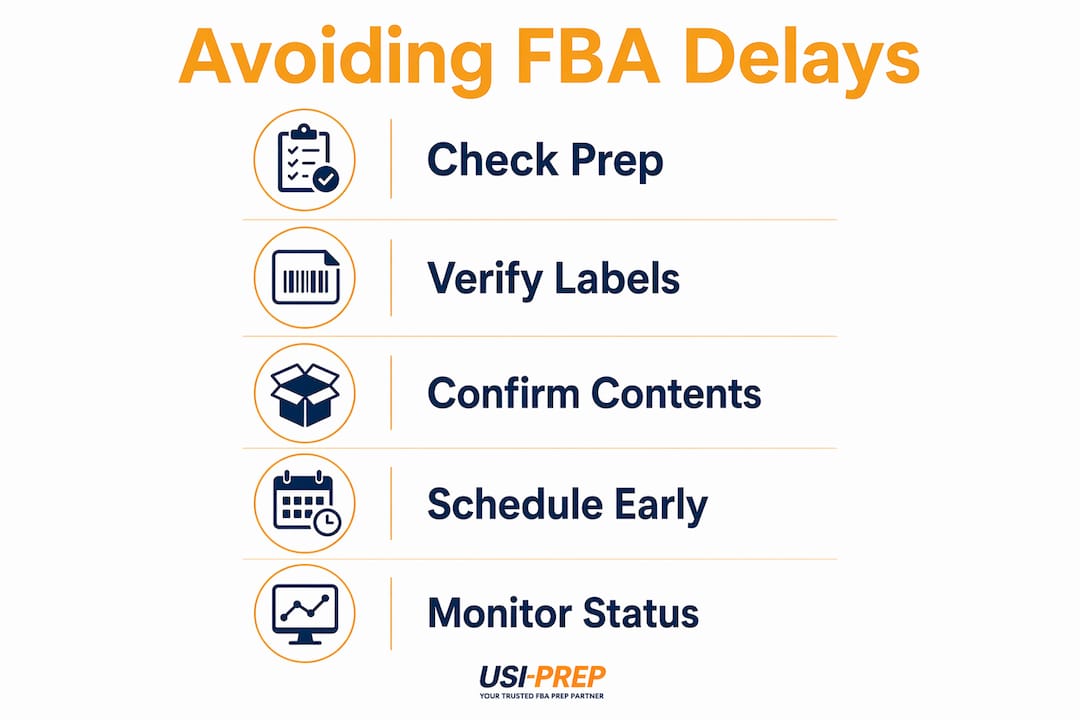
What are the new FBA prep and compliance requirements in 2026?
Amazon’s 2026 prep changes are the most significant shift in FBA inbound policy in years. Before january 1, 2026, sellers could pay Amazon to handle prep and labeling at the fulfillment center. That option no longer exists. Every shipment must arrive fully prepped, correctly labeled, and compliant before it leaves your facility or your prep partner’s hands.
Non-compliant shipments now face immediate consequences. Fees start at $0.15–$0.30 per unit for manual processing, and outright rejection is possible for serious violations. That fee structure adds up fast on a shipment of 500 or 1,000 units. The financial hit is secondary to the delay itself, which can push your restock date back by weeks.
The most common prep mistakes that trigger delays include:
- Overweight or oversized boxes: Amazon’s standard carton weight limit is 50 lbs. Boxes exceeding this get flagged for manual handling.
- Incorrect label placement: Labels must be flat, scannable, and placed on the correct panel. A label on a seam or curved surface fails the scan.
- Mixed ASIN cartons without proper documentation: Sending multiple ASINs in one box without accurate box content data causes receiving bottlenecks.
- Reused shipping boxes: Old barcodes on reused cartons confuse Amazon’s scanning systems and trigger manual processing delays.
- Missing or incorrect poly bagging and bubble wrap: Products requiring protection must meet Amazon’s specific prep category requirements.
Pro Tip: Review your product’s prep category in Seller Central before every shipment. Amazon updates prep requirements periodically, and a category change can make your previous process non-compliant overnight.
Sellers who use professional third-party prep centers to verify compliance before shipment leave origin dramatically reduce their rejection risk. A qualified prep partner checks every box against Amazon’s current standards, not last year’s.
How can sellers plan shipment timelines to mitigate receiving delays?
Timeline planning is where most small and mid-sized sellers lose ground. The gap between Amazon’s stated receiving target and real-world performance is significant. Peak season delays regularly exceed 60 days, and 10–20% of inbound shipments face complications from warehouse miscounts or errors during those periods. Planning to the 3–7 day target is a recipe for stockouts.
The 110-day lead time model is the standard recommended buffer for sellers sourcing internationally. Here is how that timeline breaks down:
- Production time (30–45 days): Factory lead time from order placement to finished goods.
- Quality inspection and prep (5–10 days): Pre-shipment inspection plus prep center processing.
- Ocean freight transit (20–30 days): Standard transit from Asia to U.S. ports.
- Customs clearance (3–7 days): ISF filing, exam risk, and broker processing.
- Domestic freight to fulfillment center (2–5 days): Carrier delivery from port or warehouse to Amazon FC.
- Amazon inbound processing (7–14 days, or longer during peak): Time from delivery to “available for sale” status.
The critical insight here is that “delivered” does not mean “available.” Amazon’s internal processing can hold inventory in reserved status for days or weeks after a carrier marks a shipment delivered. Sellers who plan by delivery date instead of available-for-sale status consistently run into stockouts.
Sales forecasting ties directly into this model. If you know your Q4 peak starts in october, your purchase order needs to go out in june or july. Buffer stock of 3–4 weeks of sales velocity gives you a cushion when Amazon’s processing slows during high-volume periods.

What shipment and documentation practices prevent check-in delays?
Accurate documentation is the fastest path to a smooth check-in. The majority of preventable receiving delays trace back to errors in labeling, box content data, or missing paperwork. Getting these right before your shipment leaves origin eliminates the most common bottlenecks.
Box content accuracy
Every carton’s declared contents in Seller Central must match what is physically inside. Amazon’s receiving team scans and verifies box contents. A mismatch triggers a manual audit, which adds days to your receiving time and can generate a discrepancy fee. Enter box content data at the unit level, not just the SKU level, and verify it against your packing list before submitting.
Label quality and barcode standards
Amazon’s 2D barcode workflow requires thermal-printed labels at a minimum resolution of 300 DPI. Inkjet-printed labels smear during transit and fail scans. Label defects are a leading cause of inbound delays, and the fix is straightforward: use a dedicated thermal label printer and test scan every label before it goes on a carton.
| Documentation item | Common error | Consequence |
|---|---|---|
| Box content data | Mismatch with physical contents | Manual audit, discrepancy fee |
| Carton label | Smudged, reused, or misplaced | Manual processing, receiving delay |
| Customs documents | Missing ISF or commercial invoice | Customs hold, shipment delay |
| Carrier appointment | No delivery appointment scheduled | FC refusal, rescheduling delay |
| Shipment plan | Wrong FNSKU or quantity | Receiving rejection or hold |
Monitoring your shipment after delivery
The Manage FBA Shipments page in Seller Central shows real-time status for every inbound shipment. Check it daily once your carrier confirms delivery. If a shipment sits in “receiving” status for more than 7 business days without movement, open a case with Seller Support immediately. Include your tracking number, proof of delivery, and a photo of your carton labels as evidence.
Pro Tip: Screenshot your Manage FBA Shipments page daily during the receiving window. That timestamp record becomes your evidence if you need to escalate a delay case with Amazon.
What common mistakes cause FBA receiving delays and how to fix them?
Most receiving delays are self-inflicted. The majority of inbound issues trace back to errors sellers could have caught before the shipment left the warehouse. Knowing the exact failure points lets you build a process that stops them at the source.
Here is a step-by-step approach to diagnosing and fixing the most common delay causes:
- Identify the defect flag in Seller Central. Amazon posts specific defect notices on shipments it cannot process. Read the flag carefully before taking any action.
- Do not click “Resolve” on a defect flag without evidence. Clicking “Resolve” admits fault and waives your right to dispute the charge. Gather your photo logs, packing lists, and supplier documentation first.
- Compare your packing list to Amazon’s received quantity. A discrepancy between what you sent and what Amazon logged points to either a warehouse error or a shipment plan mismatch.
- Open a Seller Support case with full documentation. Attach your bill of lading, proof of delivery, carton photos, and packing list. Cases with complete evidence resolve faster than vague requests.
- Avoid rushing a “fix” shipment. Sending a replacement shipment before the original case is resolved creates two open issues instead of one and compounds the delay.
“Sellers who treat defect flags as administrative tasks rather than compliance signals consistently face repeat delays. Every flag is a data point about a process failure. Fix the process, not just the ticket.”
The deeper issue is that Amazon’s switch to strict compliance gatekeeping means errors that were once corrected internally now cause immediate shipment holds. The tolerance that existed before 2026 is gone. Every mistake now has a direct cost in time and fees.
What tools and workflows help sellers maintain FBA compliance in 2026?
The right operational setup removes human error from the equation. Sellers who rely on manual checklists and memory make more mistakes than those who build verification into their workflow at every stage.
Third-party prep and inspection services
Professional verification services act as the final check before your shipment reaches Amazon. A qualified prep center confirms packaging, labels, box weights, and carton counts against Amazon’s current requirements. This single step eliminates the most expensive category of delays: those caused by non-compliant shipments arriving at the FC. Usiprep’s FBA prep process is built specifically around 2026 compliance requirements, with faster check-in times and full visibility at every stage.
Inventory and shipment management software
Shipment management platforms that automate box content uploads, generate compliant labels, and flag quantity mismatches before submission reduce data entry errors. The key feature to look for is a direct integration with Amazon’s Selling Partner API, which syncs your shipment plan data in real time.
Checklists and training
A written pre-shipment checklist reviewed by two people before every shipment leaves your facility catches errors that software misses. The checklist should cover label placement, box weight, FNSKU accuracy, packing list match, and customs document completeness. Train every person who touches outbound inventory on Amazon’s current packaging requirements and update the training when Amazon’s policies change.
Pro Tip: Build your checklist directly from Amazon’s Seller Central help pages for your product category. Generic checklists miss category-specific requirements that cause rejections.
Key Takeaways
Sellers who avoid FBA receiving delays in 2026 do so by combining strict prep compliance, extended lead time planning, and accurate shipment documentation before inventory ever leaves their facility.
| Point | Details |
|---|---|
| Prep compliance is now mandatory | Amazon ended in-house prep on january 1, 2026; non-compliant shipments face fees of $0.15–$0.30 per unit. |
| Plan for 110 days, not 7 | The 110-day lead time model accounts for production, freight, customs, and Amazon’s inbound processing window. |
| Box content accuracy prevents audits | Every carton’s declared contents must match physical contents exactly to avoid manual audits and discrepancy fees. |
| Never click “Resolve” without evidence | Clicking “Resolve” on a defect flag admits fault; gather photo logs and packing lists before disputing. |
| Third-party prep reduces rejection risk | Professional prep centers verify compliance against current Amazon standards before shipment reaches the FC. |
The 2026 FBA shift nobody prepared for
I have worked with eCommerce sellers long enough to see the pattern clearly. Every time Amazon tightens its inbound rules, sellers split into two groups: those who adapt their process before the deadline and those who learn the hard way after a costly delay or rejection.
The 2026 prep changes are different from previous updates. Amazon is no longer a service partner that catches your mistakes at the door. It is a strict compliance gatekeeper that holds or returns shipments that do not meet its standards on arrival. That is a fundamental change in how the relationship works, and sellers who still think Amazon will “fix it on their end” are going to keep losing money.
The timing mistake I see most often is sellers planning to Amazon’s stated 3–7 day receiving window as if it is a guarantee. It is a target under ideal conditions. During Q4, that window stretches to weeks. If your inventory plan does not account for that reality, you will stock out at the worst possible time.
The sellers who stay ahead of this build buffer stock, use professional prep partners, and treat every shipment as if it will be scrutinized at the FC door. Because in 2026, it will be.
— Akbar
How Usiprep helps sellers stay ahead of FBA delays
Usiprep was founded by former Amazon sellers who understand exactly what is at stake when a shipment gets held at a fulfillment center. The company’s FBA prep compliance checklist is built around Amazon’s 2026 requirements, covering packaging, labeling, box content accuracy, and customs documentation. Usiprep’s faster inventory check-in process and 98.9% on-time delivery rate give sellers the confidence that shipments arrive compliant and ready to receive. For sellers looking to reduce fulfillment costs while maintaining compliance, Usiprep’s services have delivered a 30% reduction in fulfillment costs for many brands. See how Usiprep’s FBA prep services can protect your inventory flow in 2026.
FAQ
What caused Amazon to change FBA prep rules in 2026?
Amazon discontinued in-house prep and labeling services on january 1, 2026, shifting full compliance responsibility to sellers. The change was driven by fulfillment center capacity and processing efficiency goals.
How long does FBA receiving actually take in 2026?
Amazon’s standard receiving target is 3–7 business days, but delays exceeding 60 days occur during peak seasons due to overcapacity and inbound errors.
What happens if my FBA shipment has a label defect?
Amazon flags the shipment and may charge manual processing fees starting at $0.15–$0.30 per unit. Do not click “Resolve” without gathering photo evidence and packing documentation first.
Why does my inventory show delivered but not available for sale?
Amazon’s internal transfer and reserved inventory status can delay availability for days or weeks after delivery. Always plan your restock timeline by “available for sale” status, not carrier delivery confirmation.
What is the best way to prevent FBA receiving delays in 2026?
The most effective approach combines a 110-day lead time planning model, accurate box content data, thermal-printed labels, and a professional prep center verification step before shipment leaves origin.