
Faster FBA prep is defined by three decisions: which prep model you run, which tools you use, and how tightly you control each step from receiving to shipment creation. Most sellers lose hours every week not because they work slowly, but because their workflow was never designed for their current volume. Whether you handle 50 units a month or 5,000, the path to a faster FBA prep process runs through the same framework: match your model to your volume, arm your team with the right equipment, and eliminate the manual steps that create bottlenecks. This guide gives you that framework, step by step.
How to choose the most efficient FBA prep model for your volume
The single biggest lever in FBA prep speed is not how fast your team labels boxes. It is whether you chose the right prep model for your shipment volume in the first place. Getting this wrong means paying for overhead you do not need or hitting capacity ceilings that slow every shipment.
Volume thresholds determine the best model: under 200 units per month favors a third-party prep center, 500 or more units per month favors in-house prep, and sellers moving 2,000 or more units per month typically benefit from a hybrid approach. Each threshold reflects a real cost and speed tradeoff, not an arbitrary rule.
| Monthly volume | Recommended model | Primary advantage |
|---|---|---|
| Under 200 units | Third-party prep center (3PL) | No overhead, fast turnaround, simple setup |
| 200 to 500 units | In-house or 3PL depending on SKU mix | Flexibility to test both models |
| 500 to 2,000 units | In-house prep | Cost control, faster iteration on workflows |
| 2,000+ units | Hybrid (in-house + 3PL overflow) | Scale without single-point bottlenecks |
Third-party prep centers hold a structural speed advantage that most sellers underestimate. Prep centers run parallel workflows with dedicated dock doors and daily carrier pickups, which means throughput scales independently of your team size. For a seller shipping 150 units a month, that infrastructure is far cheaper to rent than to build.
In-house prep works well at lower volumes but creates predictable problems as you grow. In-house bottlenecks increase with volume unless you invest continuously in space, labor, and equipment. Many sellers discover this the hard way when a strong sales month turns into a shipment delay because their garage or small warehouse simply cannot process the load fast enough.
The hybrid model is the most underused option. It lets you handle your standard weekly volume in-house while routing overflow, seasonal surges, or complex kitting jobs to a 3PL. This keeps your fixed costs low while protecting you from the capacity crunches that cause late shipments and stockouts.
Pro Tip: Before committing to in-house prep, calculate your true cost per unit including labor, materials, and square footage. Most sellers find that 3PL pricing is competitive up to 400 or 500 units per month once all costs are counted.
What tools and technologies actually accelerate FBA prep?
The right equipment does not just make prep faster. It makes prep accurate, which prevents the rework and reshipment costs that destroy your time savings.
Thermal label printers are the most impactful single purchase for most sellers. Thermal printers improve scan reliability under Amazon’s high-speed conveyor conditions far better than inkjet alternatives. Inkjet labels smear, fade under moisture, and fail scans at rates that create inbound shipment rejections. A Zebra ZD421 or Rollo X1038 costs under $200 and pays for itself after one avoided rejection.
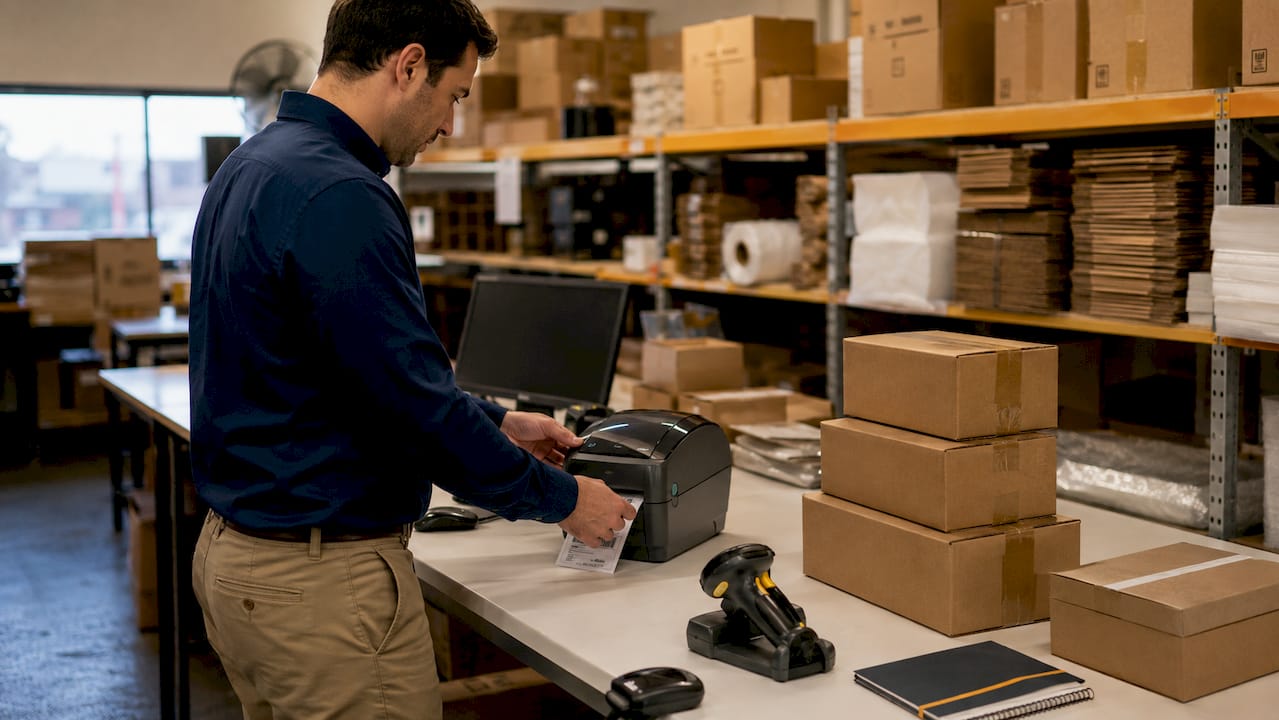
Barcode scanners are the second critical tool. Scanning every unit during quality control takes roughly three seconds per item, but it catches mislabeling errors before they reach Amazon’s fulfillment centers. The cost of a single rejected shipment, including return freight and re-prep fees, far exceeds the cost of a $50 handheld scanner.
Beyond hardware, workflow automation tools reduce the manual coordination that slows teams down. Inventory management software like SkuVault, Linnworks, or Extensiv tracks prep status in real time, flags units that have not been processed, and generates shipment plans without manual data entry. These platforms connect your purchase orders, prep workflow, and Amazon Seller Central into one view.
Digital tracking systems also give you the data you need to find and fix bottlenecks. When you can see exactly how long each SKU spends at each prep stage, you can identify which products are slowing your line and adjust accordingly.
Pro Tip: Test label readability before every shipment by scanning a sample of 10 to 20 units with your own scanner. If any fail, reprint the batch before it leaves your facility. This takes five minutes and prevents hours of downstream problems.
Step-by-step workflow to go from receiving to shipment creation fast
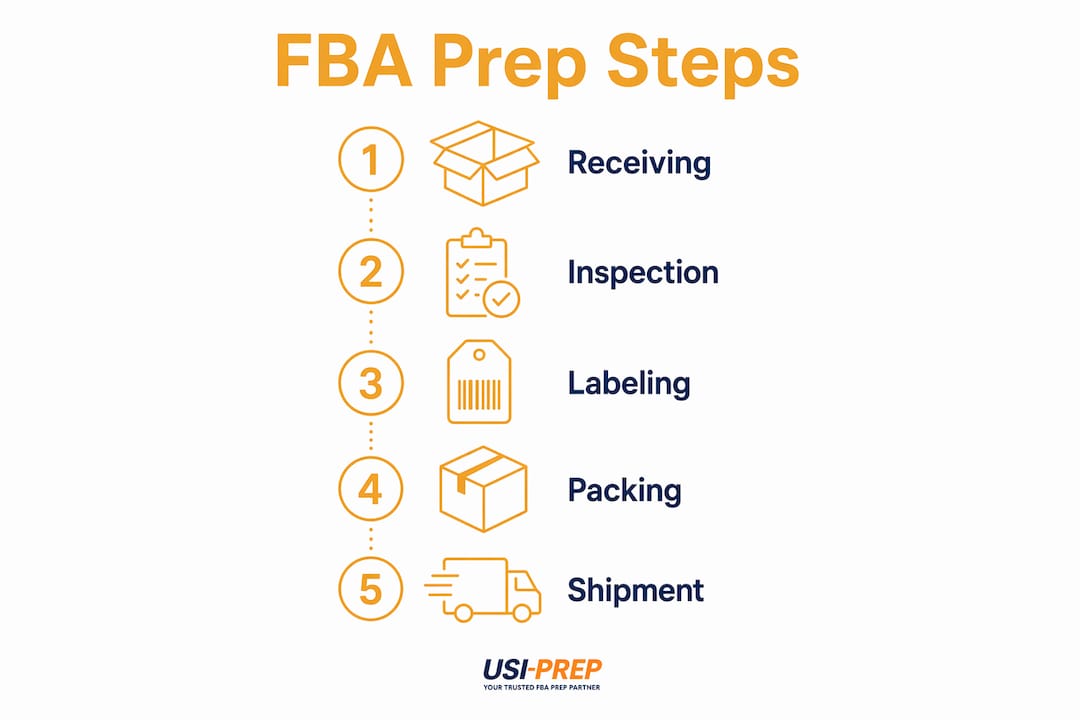
A repeatable, documented workflow is what separates sellers who consistently hit two-day prep turnarounds from those who scramble every time a shipment is due. The following sequence covers every stage from product arrival to shipment generation.
-
Map your catalog prep requirements. Build a living document that lists every SKU with its prep type (poly bag, bubble wrap, FNSKU label placement, suffocation warning requirements). Update it every time Amazon changes a requirement. This document is your team’s single source of truth and eliminates the guesswork that causes errors.
-
Inspect incoming inventory. Count units against the purchase order, check for damage, and flag any items that need additional prep. Catching a damaged case at receiving is far cheaper than discovering it during quality control or after it reaches Amazon.
-
Apply FNSKU labels accurately. The FNSKU label must cover the manufacturer barcode completely. Any visible manufacturer barcode creates a scan conflict at Amazon’s facility. Use the correct label size (1 inch by 2 inches for most products) and apply labels on a flat, clean surface.
-
Scan every unit before packing. Scanning each labeled unit before it goes into a carton takes three seconds but prevents mislabeling errors that trigger inbound shipment rejections. This is the single quality control step most sellers skip and later regret.
-
Pack using right-sized cartons. Smaller, optimized packaging reduces dimensional weight charges and protects your margin without compromising product safety. Match carton size to product dimensions as closely as possible. Overpacking wastes materials and increases fees.
-
Generate the shipment in Seller Central. Confirm the correct Amazon fulfillment center destination before printing box labels. Sending inventory to the wrong warehouse triggers a costly transfer or rejection. Use the step-by-step shipment checklist to verify every field before confirming.
| Prep stage | Time target | Common error to avoid |
|---|---|---|
| Receiving and inspection | 15 min per 100 units | Skipping damage check on inner cartons |
| FNSKU labeling | 20 min per 100 units | Leaving manufacturer barcode visible |
| Quality control scan | 5 min per 100 units | Skipping scan to save time |
| Packing and carton labeling | 25 min per 100 units | Using oversized cartons |
| Shipment creation | 10 min per shipment | Wrong warehouse destination |
Common bottlenecks that slow FBA prep and how to fix them
Knowing where delays come from is half the battle. The other half is having a fix ready before the problem costs you a sale.
Label defects and scan failures are the most common cause of inbound rejections. Inkjet printers, low-quality label stock, and labels applied to curved surfaces all increase failure rates. Switch to thermal printing and test every batch.
Prep center lead times have extended significantly since January 2026. Normal lead times now run 3 to 7 days, with peak season stretching to 10 to 14 days. This means sellers who order inventory and immediately ship to a prep center are building in a delay they did not budget for.
Q4 capacity crunches hit sellers who did not plan ahead. During Q4, turnaround times at most prep centers jump from 3 to 5 days to 10 to 14 days. Sellers who do not account for this in their reorder points run out of stock at the worst possible time.
Inventory mismanagement causes rework. When units arrive at a prep center without clear SKU-level instructions, the center must pause and request clarification. That pause adds days. Sending a prep sheet with every inbound shipment eliminates this entirely.
Packaging errors inflate your fulfillment costs. Oversized cartons trigger dimensional weight fees that compound across hundreds of shipments. Tracking prep costs as a line item in your cost of goods sold makes these overages visible and fixable.
Monitoring KPIs like defect rate per batch, average turnaround time, and cost per unit prepped gives you the data to catch problems before they become patterns. Set a weekly review cadence and act on any metric that trends in the wrong direction for two consecutive weeks.
Key takeaways
Speeding up your FBA prep process requires matching your prep model to your volume, investing in thermal printing and barcode scanning, and running a documented workflow that eliminates guesswork at every stage.
| Point | Details |
|---|---|
| Match model to volume | Use 3PL under 200 units, in-house at 500+, and hybrid at 2,000+ for best speed and cost. |
| Invest in thermal printing | Thermal label printers reduce scan failures and inbound rejections more than any other single tool. |
| Scan every unit | A three-second quality control scan per unit prevents costly mislabeling errors and shipment rejections. |
| Plan for lead times | Build 3 to 7 day prep center lead times into reorder points, and double that buffer in Q4. |
| Track cost per unit | Treating prep as a cost-of-goods line item reveals packaging and labor inefficiencies that erode margin. |
What I have learned about prep speed after years in FBA
Most sellers treat prep as a cost to minimize rather than a system to optimize. That framing leads to the wrong decisions. You cut corners on label quality, skip the quality control scan, and use whatever box is nearby. Each shortcut saves 30 seconds and costs you two hours when the shipment gets rejected.
The sellers I have seen scale fastest are the ones who invested in their prep workflow before they needed to. They bought the thermal printer when they were shipping 200 units a month, not 2,000. They documented their SKU-level prep requirements when they had 20 products, not 200. When volume spiked, their system absorbed it without breaking.
The other insight that took me longer to internalize: integrating prep lead times into reorder points is not optional. It is the difference between staying in stock and losing your ranking during a sales spike. If your prep center needs five days and your supplier needs 14, your reorder point needs to account for 19 days of lead time, not 14.
Technology investment pays back faster than most sellers expect. Inventory management software that costs $200 a month saves that in labor hours within the first week for any seller moving more than 300 units. The math is not complicated. The hesitation is usually psychological, not financial.
Finally, seasonal planning is where most sellers leave the most time on the table. Building buffer stock before Q4 and booking prep center capacity in advance is not overcautious. It is the only way to avoid the 10 to 14 day turnaround delays that hit unprepared sellers every November.
— Akbar
How Usiprep helps you prep faster without the guesswork
Usiprep was built by former Amazon sellers who ran into every bottleneck described in this article and decided to fix them. The result is a prep and fulfillment service with a 98.9% on-time delivery rate and a track record of cutting fulfillment costs by 30% for growing brands. Whether you are shipping 100 units a month or scaling past 5,000, Usiprep offers volume-matched solutions with full visibility at every stage. Start with the FBA prep requirements checklist to confirm your current workflow meets 2026 standards, then explore Usiprep’s pricing to see exactly what faster, more reliable prep costs for your volume.
FAQ
What is the fastest FBA prep model for small sellers?
Third-party prep centers are the fastest option for sellers under 200 units per month because they run parallel workflows with dedicated dock doors and daily carrier pickups. In-house prep at low volumes is slower unless you have dedicated space and trained staff.
How long does FBA prep take at a prep center?
Standard prep center lead times run 3 to 7 business days, extending to 10 to 14 days during Q4 peak season. Build these lead times into your reorder points to avoid stockouts.
What causes the most FBA inbound shipment rejections?
Label scan failures from inkjet printing and visible manufacturer barcodes are the leading causes of inbound rejections. Switching to a thermal label printer and scanning every unit before packing eliminates most of these errors.
How do I reduce dimensional weight fees in FBA prep?
Use the smallest carton that safely fits your product and optimize inner packaging to reduce dead space. Right-sized packaging lowers dimensional weight charges and reduces material costs per shipment.
When should I switch from in-house to a hybrid prep model?
Switch to a hybrid model when your monthly volume consistently exceeds 2,000 units or when seasonal spikes regularly overwhelm your in-house capacity. A hybrid approach keeps fixed costs low while protecting you from peak-season delays.