
If you’ve ever tried to send inventory to Amazon only to get blocked at checkout in Seller Central, you’ve already felt the frustration of hitting your FBA capacity limit. Understanding what is FBA capacity limit means understanding a system that directly controls how much stock you can keep at Amazon’s fulfillment centers at any given time. Get it wrong and you face shipment blocks, overage fees, or stockouts right when demand peaks. Get it right and you have a real competitive edge in how you plan, ship, and sell.
Table of Contents
- Key takeaways
- What is FBA capacity limit, explained
- How to check your FBA capacity in Seller Central
- What happens when you exceed your FBA capacity limit
- Strategies for managing and increasing your FBA capacity
- Practical tips for optimizing your inventory planning
- My take on FBA capacity management after years in the trenches
- How Usiprep helps you stay ahead of capacity limits
- FAQ
Key takeaways
| Point | Details |
|---|---|
| Monthly cubic feet system | Amazon sets FBA storage limits monthly in cubic feet, not by unit count. |
| Account type determines flexibility | Individual sellers are capped at a fixed 15 cubic feet; professional sellers have variable limits tied to performance. |
| Capacity Monitor is your control panel | Check Seller Central’s Capacity Monitor weekly to track confirmed and estimated limits before creating shipments. |
| Exceeding limits costs money | Overage fees apply for every day you’re over your limit, calculated against your highest confirmed estimate for that month. |
| Capacity Manager can unlock more space | Professional sellers can bid for extra capacity through Capacity Manager, with performance credits that can offset up to 100% of reservation fees. |
What is FBA capacity limit, explained
Amazon uses a single monthly FBA capacity limit measured in cubic feet, which replaced the older system that used separate weekly restock limits and quarterly storage volume limits. Instead of juggling two numbers, you now work with one limit per month per storage type. That storage type matters because Amazon categorizes inventory into groups like standard-size, oversize, apparel, footwear, and dangerous goods, and each category has its own allocation.
The shift to cubic feet is actually more accurate than tracking by unit count. A thousand small lip balms take up far less space than a hundred yoga mats, even if both shipments represent the same number of units. Cubic feet reflects real warehouse space, which is exactly how Amazon thinks about fulfillment center capacity.
Here is where account type changes everything:
- Individual sellers are assigned a fixed 15 cubic feet that cannot be increased, regardless of how well they sell.
- Professional sellers receive variable limits based on their account health, sales velocity, and historical performance. These limits can go up or down month to month.
- New professional accounts often start with lower limits that grow as Amazon sees consistent sales activity and healthy inventory management.
The Capacity Monitor inside Seller Central is where you see your current confirmed limit, an estimate for the following month, and a preliminary estimate for two months out. Think of the two-month estimate as a planning signal, not a guarantee. Amazon can adjust it based on fulfillment center availability and your performance data.
How to check your FBA capacity in Seller Central
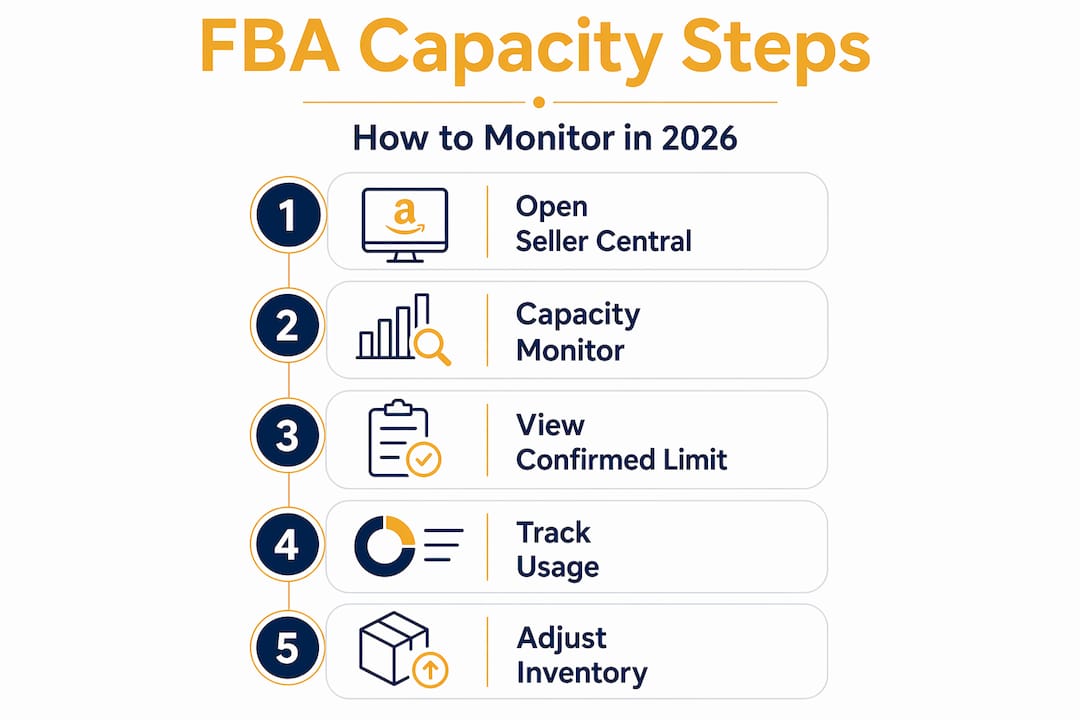
Knowing your limit exists is one thing. Knowing exactly where you stand against it before you create a shipment is what separates sellers who operate smoothly from those who hit walls mid-restock.
The Capacity Monitor in Seller Central shows your limit and usage broken down by inventory status. You will see categories like:
- Available inventory currently sitting in the fulfillment center
- Reserved inventory being processed or held for an order
- Inbound inventory already in transit or checked in but not yet stocked
- Unfulfillable inventory that Amazon has flagged as unsellable
Each of these categories counts against your total capacity. This is where sellers frequently miscalculate. They check their “available” number, see room to spare, and ship another pallet in. But reserved and inbound inventory has already claimed that space in Amazon’s system. Sending more without accounting for those statuses leads to an overage.
Pro Tip: Set a recurring calendar reminder each Monday to open Capacity Monitor, note your current usage across all four inventory status categories, and compare it to next month’s confirmed limit before you approve any new purchase orders or create shipment plans.
The Monitor also shows charts that visualize usage trends over the past few weeks. If your line is trending toward your ceiling, that is a warning sign worth acting on. Pull your shipment pipeline report at the same time you check the Monitor. Any open shipments not yet received still consume projected capacity, even if they have not physically arrived at the warehouse.

What happens when you exceed your FBA capacity limit
Going over your limit is not a soft warning. Amazon restricts inbound shipments once your capacity is exceeded, meaning you physically cannot send more inventory until your usage drops back below the limit. For a seller heading into a peak sales period, that blockage can be devastating.
Beyond the operational block, there are direct financial consequences:
- Overage fees begin accruing for every day your inventory exceeds your capacity limit.
- The fee is calculated against your highest confirmed or estimated limit for that month, not the exact cubic footage you went over by.
- Fees compound quickly if you do not remove excess inventory or accelerate sales to bring usage down.
The math here is unforgiving. Overage fees are based on days over capacity and the highest confirmed or estimated limit for that month. A seller who exceeds their limit for ten days on a high-volume month can accumulate charges that wipe out the margin on several shipments.
The most overlooked driver of overage fees is not the inventory already in the warehouse. It is the inventory already on a truck or a container that the seller forgot to factor in.
Sellers who watch only their on-hand stock numbers without including in-transit shipments get blindsided. By the time the inbound stock checks in, the limit is already breached. Operationally, delaying or canceling low-priority purchase orders when capacity is tight is a far better choice than absorbing overage fees and shipment blocks later.
Strategies for managing and increasing your FBA capacity
For professional sellers, hitting your limit does not have to mean a hard stop. Amazon’s Capacity Manager gives you a path to request additional cubic footage on top of your standard monthly limit.
How Capacity Manager works
Capacity Manager operates on a reservation fee bidding model. You submit a bid (in dollars per cubic foot) indicating how much you are willing to pay for extra space. Amazon evaluates Capacity Manager requests every 3 to 4 days, and the highest bidders receive allocation first until available warehouse space runs out. This is genuinely competitive. Other sellers in your category are submitting bids at the same time.
Here is a comparison of how the bidding strategies perform:
| Approach | What it does | Risk level |
|---|---|---|
| Single high bid, no adjustment | Sets a high fee upfront but never revisits | Medium. Overpays if lower bid would have won. |
| Low bid, no adjustment | Minimizes fees but rarely wins extra space | High. Capacity stays blocked during peak months. |
| Iterative bidding every 3 to 4 days | Adjusts based on approved history and need | Low. Most likely to win space at a reasonable cost. |
Pro Tip: Start your Capacity Manager bid at a moderate level and revisit it every time Amazon evaluates. Review your approved reservation fee history to calibrate upward or downward. One large bid upfront is rarely the most cost-effective path.
Using performance credits to offset fees
The reservation fee is not necessarily money out of your pocket. Performance credits are earned at $0.15 per dollar of sales generated from the extra capacity you reserved. Those credits apply directly against the reservation fee, and if you sell well enough, they can offset up to 100% of the fee. This design rewards sellers who use the extra space productively rather than hoard it.
If your sales velocity is high and your products turn over quickly, extra capacity through Capacity Manager can actually be cost-neutral or cost-positive. If your products are slow-moving and you are just trying to park inventory, the reservation fee will not be offset and it becomes an added cost.
Practical tips for optimizing your inventory planning
Effective FBA storage capacity management comes down to treating cubic feet like a limited budget. Every unit you send into Amazon’s network has a cost in space, and knowing that cost before you ship changes how you make decisions.
Start with the cubic feet formula for each product: multiply the length, width, and height of the unit in inches, then divide by 1,728 to get cubic feet per unit. Run this calculation for your entire catalog and you will immediately see which products are “space expensive” relative to their revenue contribution.
From there, a few practices make a consistent difference:
- Prioritize fast-turning SKUs when capacity is tight. A product that sells in 14 days contributes revenue and frees space faster than one sitting for 60 days.
- Run weekly inventory health checks to catch aging stock before it becomes a long-term storage fee problem on top of your capacity issue.
- Review your pipeline weekly, including all open shipments and in-transit inventory. Monitoring in-transit inventory is the single most common blind spot for sellers who end up over limit unexpectedly.
- Set automated alerts inside Seller Central or through a third-party analytics platform so you get notified before you hit 80% of your confirmed limit, not after.
Pro Tip: Use FBA inventory analytics tools to model your projected capacity usage 30 to 60 days out. Even basic forecasting that factors in lead time, transit time, and seasonality can prevent most overage situations before they start.
Sellers who experience sudden capacity reductions of up to 30% with little warning are almost always the ones who had not been running weekly checks. Agile inventory management means your shipment schedule can flex on short notice.
My take on FBA capacity management after years in the trenches
I have seen sellers treat FBA capacity limits as an administrative nuisance rather than a strategic variable. That mistake costs them real money, usually at the worst possible time.
The single biggest thing I have learned is that in-transit inventory will catch you off guard if you do not build it into every capacity calculation you run. Most sellers check their available stock and feel safe. They forget that what is on a truck, on a boat, or sitting in a receiving queue at Amazon already exists in the system and counts toward their limit. By the time that inventory checks in, they are over. The overage fees and the shipment block arrive together.
My second hard-won lesson is that Capacity Manager is a process, not a one-time action. I have watched sellers submit one bid, get declined, and give up. That is not how the system works. Capacity Manager is a competitive marketplace where bids need to be adjusted every few days based on what has been approved before. Sellers who stay iterative win the extra space. Sellers who treat it like a lottery ticket burn time and miss their window.
The deeper principle here is that proactive management always beats reactive scrambling. Weekly monitoring, pipeline checks, and automated alerts are not optional hygiene tasks. They are the difference between a business that scales through Q4 and one that runs out of space in October.
— Akbar
How Usiprep helps you stay ahead of capacity limits

Managing FBA capacity limits gets significantly easier when your prep and fulfillment operations are tight. Usiprep was built by former Amazon sellers who understand exactly what happens when inventory arrives late, gets mislabeled, or clogs up your capacity with unfulfillable stock.
With Usiprep’s FBA prep and fulfillment services, you get faster inventory check-ins, complete visibility at every stage of your supply chain, and a partner who helps you time shipments so your cubic footage works for you instead of against you. Clients have seen a 30% reduction in fulfillment costs and a 98.9% on-time delivery rate, which means fewer surprises at the Capacity Monitor.
Check out Usiprep’s transparent pricing to see how outsourcing your prep and fulfillment can cut costs while keeping your FBA inventory flow healthy and your capacity headroom intact.
FAQ
What is an FBA capacity limit?
An FBA capacity limit is the maximum amount of inventory, measured in cubic feet, that Amazon allows you to store in its fulfillment centers during a given month. Limits vary based on account type and seller performance.
How do I check my FBA capacity limit?
Go to Seller Central and open the Capacity Monitor, which shows your confirmed limit for the current month, an estimate for next month, and a two-month preliminary estimate with a breakdown by inventory status.
What happens if I go over my FBA capacity limit?
Amazon will block new inbound shipments and charge overage fees for every day you exceed your limit. Fees are calculated based on the highest confirmed or estimated limit for that month.
Can I increase my FBA capacity limit?
Professional sellers can request extra capacity through Capacity Manager by submitting a reservation fee bid. Amazon evaluates bids every 3 to 4 days, and performance credits from sales in the extra space can offset up to 100% of the fee.
Why is my FBA capacity limit lower than expected?
Amazon can reduce limits with limited notice, sometimes cutting them significantly if fulfillment center availability drops or your inventory performance metrics decline. Routine monitoring and flexible shipment plans are the best protection against sudden reductions.