
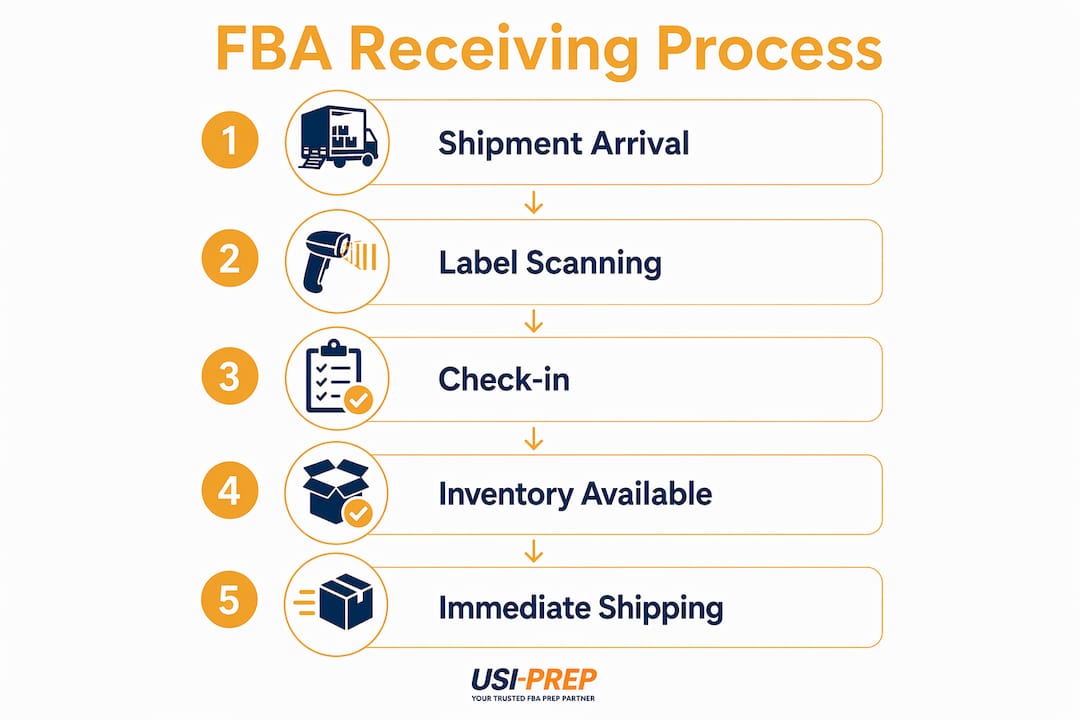
FBA receive time is defined as the interval between Amazon scanning your first shipment label at a fulfillment center and your inventory becoming available for immediate shipping to customers. This is not a single event. It is a multi-stage process involving label scanning, physical unloading, item-level scanning, data reconciliation, and potential transfers between fulfillment centers. Every seller shipping inventory through Fulfillment by Amazon needs to understand this timeline to plan replenishment accurately, avoid stockouts, and protect profit margins from storage fees and lost sales.
What is FBA receive time, and why does it matter?
FBA receive time is the industry term for what sellers often call “check-in time” or “inbound processing time.” It covers everything from the moment your carrier drops freight at an Amazon fulfillment center to the moment your units are confirmed available for sale and ready to ship to a buyer. Understanding the FBA receiving process in full prevents one of the most common seller mistakes: assuming a delivery confirmation equals available inventory.
The process includes two distinct milestones that sellers frequently confuse. The first is sellability, meaning your units appear as available in your listing. The second is immediate shipping readiness, meaning Amazon can actually pick, pack, and dispatch those units right now. According to Amazon’s shipment tracking guidance, these two milestones occur at different points in time. A unit can be listed as available for sale while still sitting in a receiving queue waiting for a transfer scan.
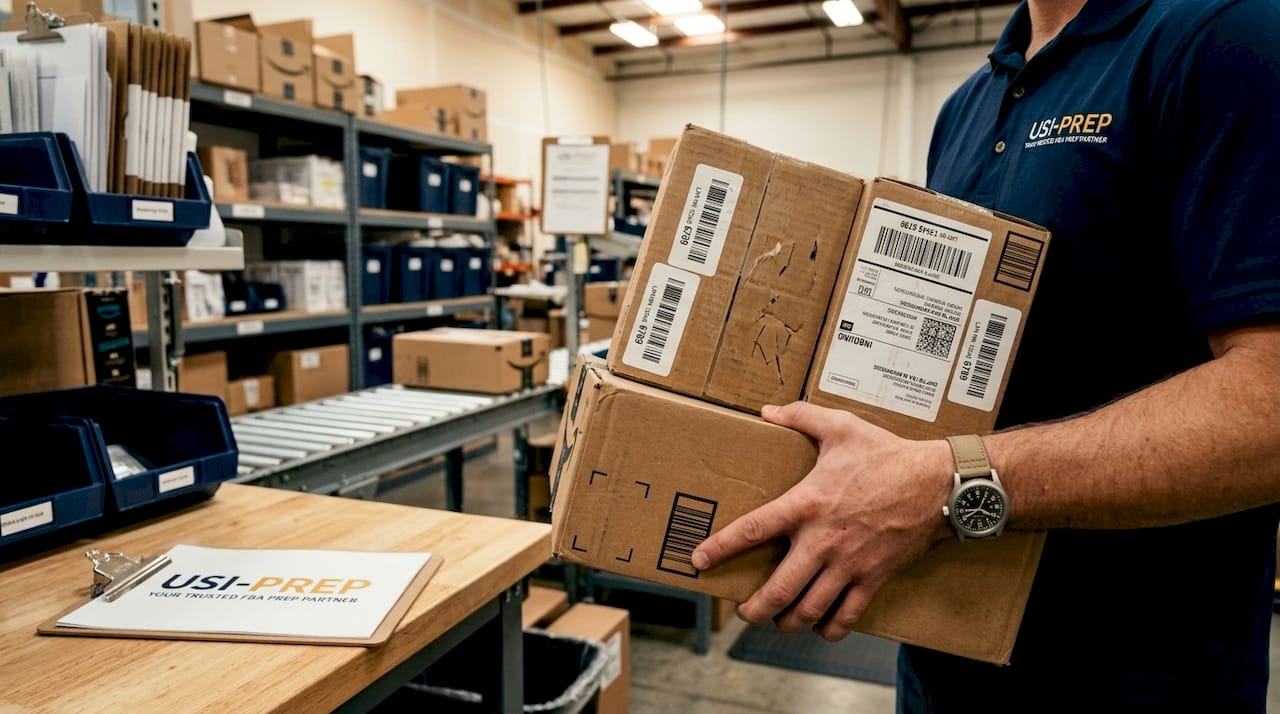
This distinction has real financial consequences. If you count on inventory being shippable the day it is delivered, you will miscalculate reorder points, run out of stock during peak demand, and potentially lose your Buy Box position to a competitor with better availability.
What are the key stages in the FBA receiving process?
Amazon’s inbound workflow moves through six defined statuses. Each one represents a gate your shipment must pass before inventory is fully active. Here is what each stage means for you as a seller:
- Shipment created. You have generated the shipping plan in Seller Central and printed labels. Amazon has no physical possession of your goods yet.
- In transit. Your carrier has picked up the shipment and is moving it toward the fulfillment center. Carrier tracking is active here, but Seller Central status has not changed.
- Delivered. The shipment has arrived at the fulfillment center yard. This is where many sellers stop watching, which is a mistake. Delivered status only means the truck has arrived, not that any Amazon associate has touched your boxes.
- Checked in. Amazon has acknowledged the shipment’s physical arrival and begun the unloading process. Shipments can sit in the yard for several days before reaching this status.
- Receiving. Amazon scans the first shipment label. At this point, units begin appearing as available for sale, even if they are not yet shippable. This is the stage where sellability begins.
- Closed. All units in the shipment have been fully processed and reconciled. Your inventory is now available for immediate shipping.
Pro Tip: Set up Seller Central alerts for the “arrived at FC,” “receiving scan,” and “closed” events on every shipment. Amazon recommends SKU-level alerts to catch discrepancies early and reconcile inventory counts before they affect your listings.
The gap between “Checked in” and “Closed” is where most delays accumulate. Do not treat a “Receiving” notification as a finish line.
How long does FBA receive time typically take?
FBA receive time varies significantly based on shipment mode, fulfillment center congestion, and the time of year. Sellers on Amazon Seller Forums report a wide range of experiences, and the data reflects genuine variability rather than inconsistency on Amazon’s part.
Here are the primary factors that determine your timeline:
- Shipment mode. Small parcel delivery (SPD) shipments typically take about two weeks for full check-in. Less-than-truckload (LTL) shipments can take approximately 60 days for complete processing, based on seller reports from Amazon Forums. Full truckload (FTL) shipments fall somewhere in between depending on the receiving center’s workload.
- Seasonal congestion. During high-volume periods like Q4 holiday season and Prime Day, receiving steps take longer and delays between status changes can stretch significantly. Amazon explicitly warns sellers to treat receive time as a range during these windows, not a fixed date.
- Inventory transfers between fulfillment centers. After your units are received, Amazon may route them to a different fulfillment center to optimize delivery coverage across its network. This transfer step alone can add 0 to 18 days before your inventory reaches immediate shipping availability.
- Shipment accuracy and prep quality. Mislabeled units, incorrect box counts, or packaging that does not meet Amazon’s standards trigger manual review, which adds days to the process.
“Received units may be transferred among fulfillment centers and can take up to 18 days before available for immediate shipping, despite already being available for sale.” — Amazon Seller Forums
The practical implication: never build your restock plan around a best-case scenario. Build it around the worst case for your shipment mode and the current season.
Why FBA receive time matters for your inventory operations
FBA receive time sits at the center of your entire inventory management strategy. Get it wrong and the consequences compound quickly across sales velocity, storage costs, and promotional planning.
The most direct risk is a stockout. If your current inventory sells through before your inbound shipment clears the receiving process, your listing goes inactive or drops in search ranking. Recovering that ranking after a stockout can take weeks, and the lost revenue during that window is permanent.
Aged inventory fees add a second layer of financial pressure. Amazon charges long-term storage fees on units that have been in the fulfillment network for extended periods. If your shipment takes longer than expected to clear receiving, those units start accumulating time in the system earlier than your plan accounted for.
Promotional timing is a third area where receive time creates real risk. If you schedule a Lightning Deal or a coupon campaign and your inventory has not cleared the “Closed” status by the campaign start date, Amazon will either cancel the promotion or run it with insufficient stock. Both outcomes damage your seller metrics and waste your advertising spend.
Accurate FBA inventory timing also feeds directly into your demand forecasting. Tools like Jungle Scout, Helium 10, and Inventory Planner all rely on accurate lead time inputs. If you feed them carrier transit time instead of true FBA receive time, every reorder point calculation in your system is wrong.
What strategies reduce delays and improve FBA receive time?
You cannot manually expedite Amazon’s receiving process. What you can control is how well-prepared your shipment is and how accurately you plan around the timeline. These steps make a measurable difference:
- Monitor Seller Central, not just your carrier. Carrier tracking confirms delivery to the yard. Seller Central’s Shipping Queue shows actual receiving progress. Relying on carrier data alone causes sellers to underestimate how much time remains before inventory is shippable.
- Build a receiving buffer into every replenishment plan. Add the full expected receive time on top of carrier transit time when calculating your reorder point. For LTL shipments during Q4, that buffer should be substantial.
- Time shipments to avoid peak congestion windows. Sending large LTL shipments to arrive at fulfillment centers in the two weeks before Prime Day or Black Friday is a reliable way to extend your receive time significantly. Ship earlier or plan to hold inventory closer to the event.
- Prioritize shipment accuracy. Every label error, missing FNSKU, or non-compliant package adds manual handling time. Review the FBA shipment checklist before every send to eliminate preventable delays.
- Use a professional FBA prep service. Third-party prep centers that specialize in Amazon compliance reduce the rate of receiving exceptions. Usiprep, for example, was founded by former Amazon sellers and focuses specifically on prep accuracy and faster check-in outcomes.
Pro Tip: If your shipment timeline is tight, budget time for all internal steps including receiving scans, data reconciliation, and inter-FC transfers. Amazon recommends planning for all stages rather than assuming inventory will be shippable the day it is received.
How FBA receive time compares to other Amazon fulfillment timelines
Sellers often conflate several distinct timelines in Amazon’s fulfillment network. Understanding where FBA receive time fits relative to other durations prevents planning errors.
| Timeline | Definition | Typical Duration |
|---|---|---|
| Carrier transit time | Time from pickup to delivery at FC yard | 1 to 5 days (SPD), 2 to 7 days (LTL) |
| FBA receive time | Delivery scan to inventory available for sale | 2 to 14 days (SPD), up to 60 days (LTL) |
| FC transfer time | Post-receive routing between fulfillment centers | 0 to 18 days |
| Last-mile shipping to customer | Order placed to customer delivery | 1 to 5 days (Prime) |
| Restock lead time | Total time from reorder to shippable inventory | Sum of all above stages |
The most important distinction is between “available for sale” and “available for immediate shipping.” A unit listed as available for sale can generate an order, but if it is still in transit between fulfillment centers, Amazon may delay shipment or fulfill from a different location at higher cost. For accurate restock planning, use the “available for immediate shipping” milestone, not the “available for sale” date.
Restock lead time is the sum of all these stages. Sellers who calculate lead time using only carrier transit time are systematically underestimating how long it takes to get new inventory in front of a buyer.
Key takeaways
FBA receive time is a multi-stage process spanning carrier delivery, label scanning, check-in reconciliation, and potential FC transfers, and sellers who plan around the full timeline avoid stockouts, storage fees, and failed promotions.
| Point | Details |
|---|---|
| Two distinct milestones | “Available for sale” and “available for immediate shipping” occur at different times; plan around the latter. |
| LTL takes far longer | LTL shipments can take up to 60 days for full check-in; build that into every replenishment plan. |
| FC transfers add 0 to 18 days | Post-receive routing between fulfillment centers delays shipping readiness even after units appear as available. |
| Seller Central is the source of truth | Carrier delivery confirmation does not equal shippable inventory; monitor Seller Central’s Shipping Queue. |
| Prep accuracy shortens receive time | Shipment errors trigger manual review; a compliant, well-labeled shipment moves through receiving faster. |
Why sellers consistently underestimate FBA receive time
Most sellers I work with make the same mistake when they start: they treat the carrier’s delivery scan as the finish line. It is not even close. The delivery scan is the starting gun for Amazon’s internal process, and that process has more steps than most sellers realize until they have been burned by a stockout or a failed promotion.
The 18-day transfer window is the number that surprises people most. You can have inventory that shows as “available for sale” in your account, run an ad campaign against it, and then watch orders get delayed because the units are physically moving between fulfillment centers. That is not a bug. It is how Amazon optimizes its delivery network. But if you do not know it exists, it looks like a system failure.
My honest advice: stop thinking about FBA receive time as a single number and start treating it as a pipeline with four gates. Carrier transit, check-in, receiving scan, and FC transfer. Each gate has its own timeline and its own failure modes. When you map your replenishment plan against all four gates instead of just the first one, your inventory planning accuracy improves immediately.
The sellers who manage this well are the ones who use real lead time data from past shipments, not estimates. Pull your last 10 shipments, calculate the actual time from delivery to “Closed” status for each one, and use that data to set your reorder points. That is more valuable than any formula.
— Akbar
How Usiprep helps you take control of FBA inventory timing
Unpredictable FBA receive times do not have to derail your inventory planning. Usiprep was built by former Amazon sellers who understand exactly where shipments get delayed and why. Their FBA prep and fulfillment service focuses on shipment accuracy, compliant labeling, and faster check-in outcomes so your inventory moves through Amazon’s receiving process with fewer exceptions.
If you are sending shipments that regularly hit receiving delays, the most direct fix is tightening your prep process before the shipment leaves your hands. Start with the FBA prep requirements checklist Usiprep maintains for 2026. It covers every labeling, packaging, and documentation requirement Amazon checks during receiving. Sellers who follow it report fewer receiving exceptions and faster progression from “Delivered” to “Closed.” Usiprep’s 98.9% on-time delivery rate and 30% reduction in fulfillment costs for many brands reflect what accurate prep actually produces at scale.
FAQ
What does FBA receive time mean?
FBA receive time is the period from when Amazon scans your first shipment label at a fulfillment center to when your inventory is fully available for immediate shipping. It includes check-in, item scanning, data reconciliation, and any inter-FC transfers.
How long does FBA receive time typically take?
Small parcel shipments typically take about two weeks for full check-in, while LTL shipments can take up to 60 days. Seasonal peaks like Q4 and Prime Day extend these timelines further.
Can I speed up Amazon’s FBA receiving process?
No. Amazon FBA receiving cannot be manually expedited. The best approach is to ship compliant, accurately labeled inventory and build sufficient buffer time into your replenishment plan.
What is the difference between “available for sale” and “available for immediate shipping”?
“Available for sale” means your listing shows stock and can receive orders. “Available for immediate shipping” means Amazon can physically pick and dispatch those units right now. Units can be in the first state while still being transferred between fulfillment centers.
How do I track FBA receive time in Seller Central?
Monitor your shipment status in Seller Central’s Shipping Queue and set up alerts for key events including “arrived at FC,” “receiving scan,” and “closed.” Carrier tracking alone does not reflect Amazon’s internal receiving progress.